Tilt vs Tap Controls in Jumping Games: How to Choose and Switch
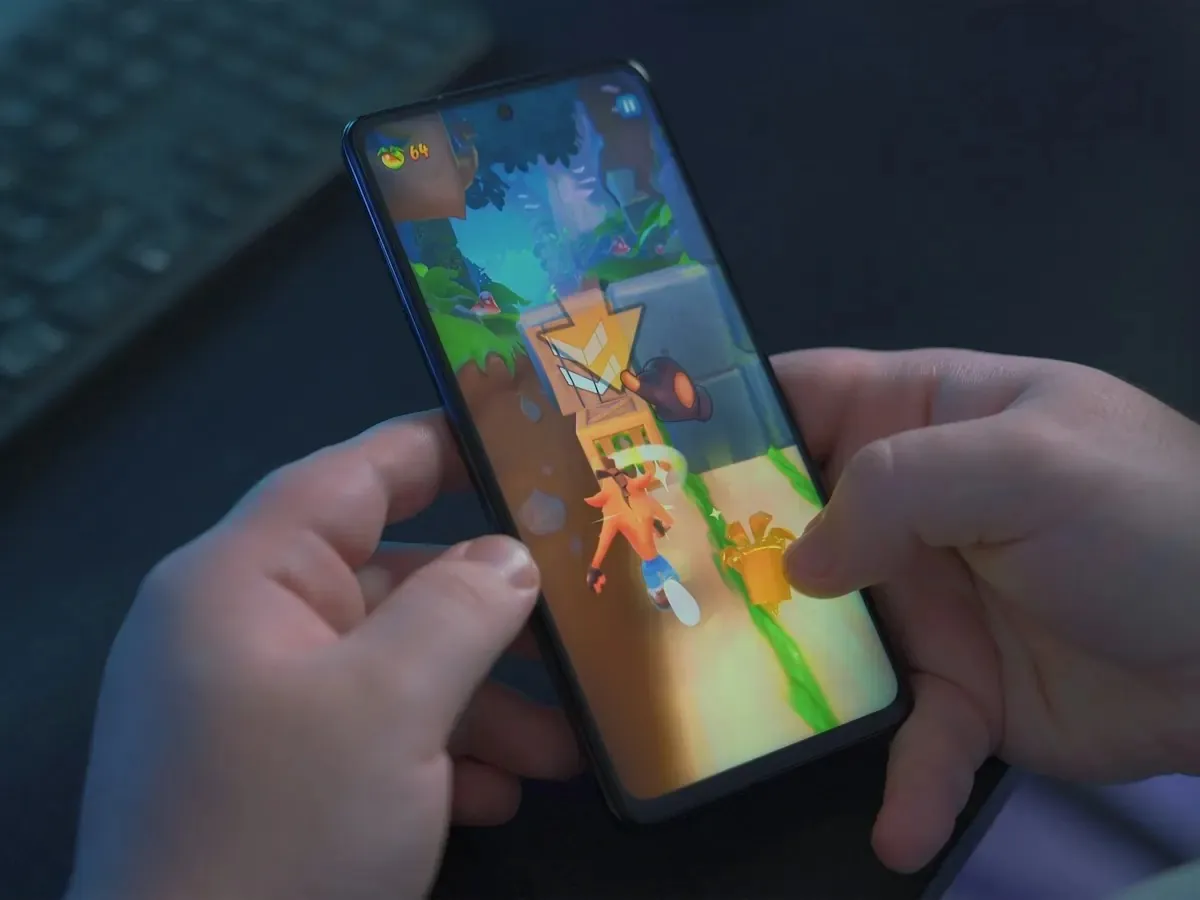
Tilt vs tap mobile games in vertical jumpers
Tilt vs tap mobile games in the vertical jumper genre come down to one question: where will your hands be when you play? Tilt uses the accelerometer to slide left and right; tap (or on-screen buttons) keeps the phone still while your thumb steers. Neither is universally better. The right scheme matches posture, motion sensitivity, and how much you care about precision during a bumpy commute.
How tilt control reads in a climber
Tilt maps phone roll to horizontal movement. Classic Doodle Jump popularized the feel: lean slightly, the doodle drifts, auto-jumps handle vertical motion.
Tilt shines when:
- You hold the phone upright in one hand with a loose grip.
- You want analog drift across wide platform gaps.
- You are sitting or standing still enough that the accelerometer is not confused by walking noise.
Tilt struggles when:
- You play lying down (gravity axis feels wrong).
- You walk on uneven pavement (input noise becomes deaths).
- You use a thick case or a mount that dampens motion.
How tap control reads in a climber
Tap schemes usually place left/right zones or a single steering pad. Some games add swipe bursts; the constant is that the phone stays visually fixed.
Tap shines when:
- You play on public transit and cannot sway visibly.
- You need predictable digital input for tight spike patterns.
- You share a screen or play with motion sensitivity concerns.
Tap struggles when:
- Zones are too small for thumbs (common in portrait one-hand play).
- The game expects tilt precision but only offers buttons as an afterthought.
Tilt vs tap mobile games: decision table
| Situation | Start with | Why |
|---|---|---|
| Bus or train commute | Tap (or tap-first hybrid) | Walking noise ruins tilt trust |
| Couch, stationary | Tilt | Smoother arcs, less thumb fatigue |
| Motion sickness prone | Tap | Removes vestibular mismatch from steering |
| Nostalgia for 2009 Doodle | Tilt | Matches muscle memory from the original |
| Competitive three-player survival | Whichever the game tuned | Multiplayer titles optimise one scheme |
Genre context for why jumpers keep these schemes lives in endless jumping games on mobile. If your search started from multiplayer, read Doodle Jump multiplayer before you reinstall a solo tilt classic that cannot host friends.
How to switch schemes without resetting progress
Many modern jumpers expose Settings → Controls. When switching:
- Change in the menu, not mid-run. Input calibration often applies on the next round.
- Replay the same platform pattern three times. Compare death reasons, not score hype.
- Adjust sensitivity if tilt offers it; reduce to 70% before you declare tilt broken.
- Check accessibility options. Larger tap zones and haptics help more than switching games.
If a game offers both but hides tilt behind a tutorial flag, finish the tutorial once in the default mode, then swap. Some titles reset gesture hints when you flip schemes.
Hybrids and “both” settings
Some jumpers label a mode “both” when they mean tilt with on-screen nudges, or tap with optional tilt assist. Read the subtitle in settings: assist often dampens tilt so walking noise hurts less, while pure tilt keeps full roll sensitivity. If you commute, start on tap or heavy assist, then try pure tilt at home on the same level type. That A/B test beats installing three new games.
Portrait one-thumb play usually favours tap because your thumb already occludes part of the screen; landscape tilt can feel roomier but is rare in doodle-style climbers. Match control to how you actually hold the phone, not how trailers show it.
Motion sickness and jumpers: practical habits
Vertical jumpers rarely cause full simulator sickness, but tilt plus fast vertical parallax can feel uneasy for some players. Mitigations that actually help:
- Switch to tap steering for sessions longer than five minutes.
- Lower screen motion or reduce camera shake if the game exposes it.
- Take breaks on landings (menu pauses) instead of chaining ten frustrated runs.
- Increase brightness in dim transit so your eyes are not fighting contrast flicker.
If nausea persists across multiple games, the issue may be frame rate or refresh rate, not tilt itself. Try another title from games like Doodle Jump with a calmer background before you abandon the genre.
Where Inklets lands (one-thumb survival)
Inklets (our game, bias noted) is tuned for one-thumb, tap-first survival climbing with two live opponents on the same sketchbook page. The game is not released yet: it is planned as a free iOS and Android title, with the waitlist at inklets.app and a browser sample at game.inklets.app. For a quick taste without installing, open the sample, then read what is Inklets for how match flow uses those inputs during rising ink pressure.
Inklets is the wrong recommendation if you wanted pure tilt nostalgia solo with no social layer. Keep Doodle Jump 2 for that mood.
Honest alternatives by control preference
- Tilt nostalgia, solo score only: Doodle Jump 2 and cousins in games like Doodle Jump.
- Tap-first arcade speed: Mega Jump-style coin chains (check your regional store listing).
- Racing friends to a finish line: Doodle Jump Race (different tension from survival; see Doodle Jump multiplayer).
How to choose in one sitting
Pick tap if you will play walking, standing on transit, or sharing a room where sway looks awkward. Pick tilt if you are stationary and want the classic lean-and-bounce feel. Run three runs in each scheme when a game offers both; keep the scheme with clearer failure reasons, not the higher lucky score.
When you want a multiplayer climber with friends, join the Inklets waitlist at inklets.app or sample at game.inklets.app, and compare modes in Doodle Jump multiplayer before you assume tilt is the only authentic jumper control.
Frequently asked questions
Is tilt outdated for mobile games?
No. Tilt is less dominant than in 2009, but still common in jumpers aimed at stationary play. Many players switch to tap for commutes even in tilt-first titles.
Do pro scores require tilt?
High scores appear in both schemes depending on the game. Pick the scheme with fewer input mistakes for you, not the scheme streamers prefer.
Can I use a controller?
Most casual jumpers do not support controllers. Assume touch unless the store listing says otherwise.
Why does tilt feel inverted on my phone?
Check in-game invert settings and calibration. A thick case or pop socket can also shift how roll registers.
Which control fits multiplayer jumpers?
Multiplayer survival needs readable steering under stress. Use whichever scheme keeps your eyes on platforms, not on your thumbs hunting zones. Inklets targets phone-first tap play; see what is Inklets for session shape.
Related reads.
 doodle jump multiplayer
Doodle Jump Multiplayer: What Exists Today
Can you play Doodle Jump multiplayer with friends? Here is what Lima Sky shipped, why racing isn't the whole answer, and what a survival climber adds.
 ai character creator
AI Character Creator Games: From Slider Menus to Text Prompts
AI character creator games let you describe a character instead of assembling one. How prompt-based creation works, and how Inklets builds it into play.
 inklets
What Is Inklets? A First Look at the Three-Player Sketchbook Climber
Inklets is a sketchbook-style multiplayer climber for iOS and Android, planned for Summer 2026. How matches work, the AI Generator, and the Sketchbook.